-
Shop
- Advanced Technologies
- AI Skills
- Apple Accessories
- Arts, Crafts & Hobbies
- Bathroom
- Beauty
- Best-Sellers
- Car Accessories
- Car Buying & Ownership
- Confidence
- Dating & Social Skills
- Digital Resources
- Education & Learning
- Family & Parenting
- Fashion
- Alexander McQueen
- Bags & Wallets
- Balenciaga
- Belts
- Blazers
- Bottega Veneta
- Bottoms
- Brunello Cucinelli
- Burberry
- Chanel
- Chloé
- Dior
- Dolce & Gabbana
- Dresses
- Etro
- Fendi
- Gucci
- Hats & Hair Accessories
- Hoodies & Sweatshirts
- Jacquemus
- Jewelry
- Jil Sander
- Jimmy Choo
- Kiton
- Luggage
- Men's Fashion
- Miu Miu
- Off-White
- Outerwear
- Prada
- Rick Owens
- Saint Laurent
- Scarves
- Shoe Accessories
- Shoes
- Skirts
- Socks & Tights
- Sunglasses
- Sweaters & Cardigans
- The Row
- Tom Ford
- Tops & Shirts
- Valentino
- Valentino Garavani
- Versace
- Vivienne Westwood
- Watches
- Fashion Accessories
- Furniture
- Gadgets
- Gift Ideas
- Gifts
- Health & Beauty
- Health & Wellness
- Home & Garden
- Home & Kitchen
- Home Electronics
- Home Styling & Organization
- Home Supplies
- Kids & Babies
- Kids & Babies
- Kitchen
- Lighting
- Nike
- Parenting & Child Development
- Patio, Lawn & Garden
- Personal Growth
- Personal Style & Fashion
- Pet Care
- Pet Lifestyle & Wellness
- Pet Supplies
- Pets
- Sport & Outdoors
- Super Deals
- Travel
- Travel & Adventure
- Wealth
- Wellness
- Popular
- Best deals
Waterproof Laptop Sleeves: Fit, Materials, and Care
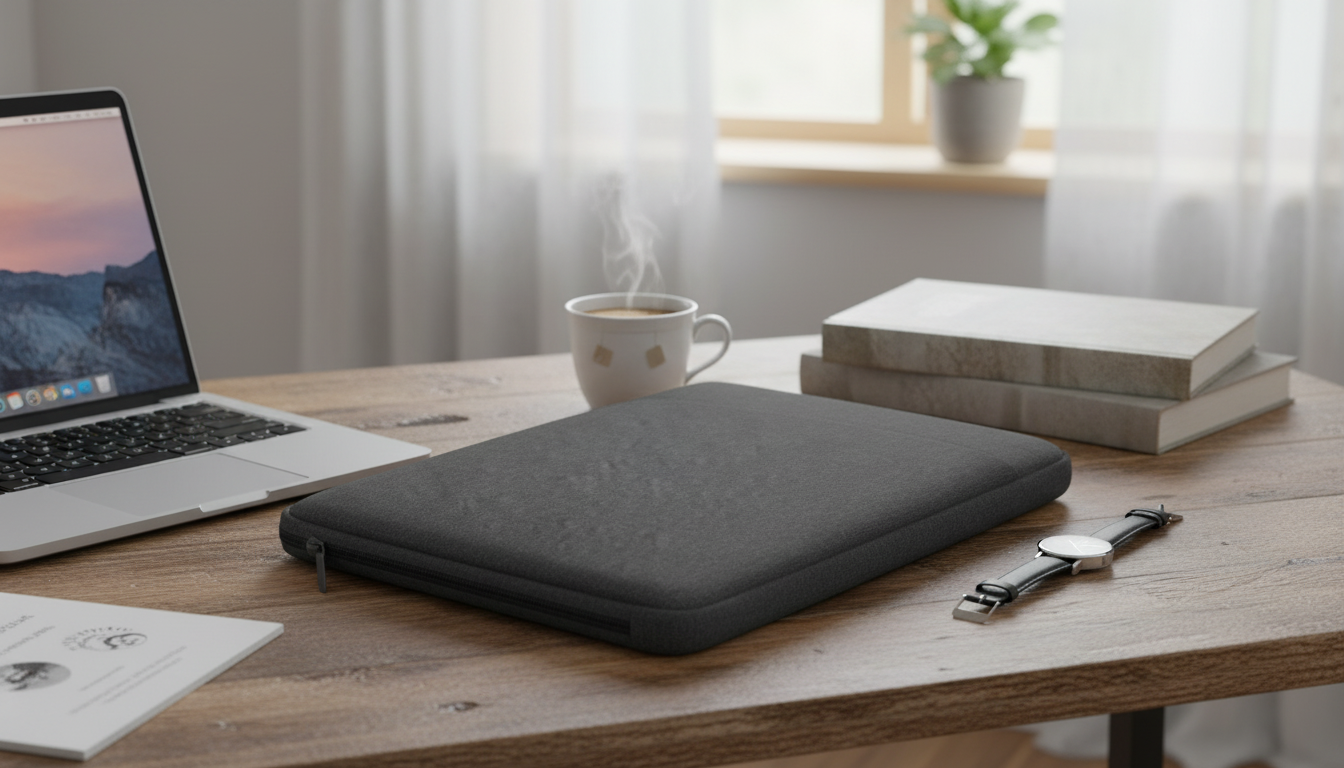
Waterproof Laptop Sleeves: Practical Protection Without the Bulk
A waterproof laptop sleeve adds a simple, everyday barrier against rain, splashes, and the scuffed-up reality of commuting—without forcing you into a full-size backpack. Whether you carry a MacBook Air, MacBook Pro, or a 13–15.6″ Windows laptop, the right sleeve comes down to fit, materials, and the small construction details that decide how well it performs in real life.
Below is a clear breakdown of what a waterproof sleeve can (and can’t) do, how to choose the right size, and how to keep your sleeve working well over time.
What a Waterproof Sleeve Protects Against (and What It Doesn’t)
A well-made waterproof (or water-resistant) sleeve is built to handle the moments that typically damage laptops: damp commutes, cluttered bags, and quick set-downs on questionable surfaces.
- Helps shield the laptop exterior from rain, splashes, and damp surfaces during commutes and travel
- Reduces risk from minor spills on desks or café tables when the laptop is inside the sleeve
- Guards against scratches and scuffs from keys, zippers, and rough bag interiors
- Not a substitute for submersion protection; zippers, seams, and openings can allow water in under heavy exposure
- Best used as a layer inside a backpack or tote for added protection
If you regularly walk through heavy downpours or ride a bike in the rain, think of a sleeve as a protective “inner shell.” Pair it with a weather-ready outer bag and avoid opening the sleeve outdoors when it’s really coming down.
Fit and Compatibility: MacBook Air/Pro vs. 13–15.6″ Notebooks
“13-inch” or “15.6-inch” describes the screen diagonal, not the full laptop footprint. The best fit comes from comparing your device’s actual measurements to the sleeve’s internal dimensions.
- Measure the laptop’s length, width, and thickness; compare to the sleeve’s internal dimensions rather than relying only on screen size
- MacBook models are typically slimmer than many 15.6″ Windows laptops; a sleeve that fits a thicker device may feel loose on a MacBook
- Consider case-on vs. case-off fit; hard shells and keyboard covers can add a few millimeters that affect zipper closure
- Choose a snug fit to reduce sliding, but avoid tightness that stresses corners or zipper seams
- If carrying a charger or dongles, consider whether an accessory pocket is needed or if a separate organizer is better
Quick Fit Checklist
| Check | Why it matters | What to do |
|---|---|---|
| Internal dimensions | Prevents tight corners or excess movement | Compare laptop measurements to the sleeve’s inner size |
| Laptop thickness | Thicker devices can strain zippers and seams | Account for cases and skins when measuring |
| Corner clearance | Corners take the most impact in drops | Look for padded corners or a slightly raised edge |
| Zipper path | A tight zipper line can scratch or snag | Ensure the zipper doesn’t press hard against the laptop body |
| Accessory space | Bulky items can press into the laptop | Keep chargers separate or use a dedicated pocket |
Materials and Construction Details That Matter
Two sleeves can look similar online, but performance usually comes down to fabric treatment, zipper design, and how the corners are built.
- Water-resistant outer fabric: Often treated polyester or nylon; encourages water to bead up and roll off during light rain.
- Lining and padding: Soft interiors reduce micro-scratches; foam padding helps with everyday bumps and bag jostling.
- Zippers: Smoother tracks reduce snagging; covered zippers or storm flaps typically improve water resistance around the opening.
- Stitching and seams: Tighter seams reduce water entry points; reinforced seams hold up longer if you carry daily.
- Edges and corners: Extra corner padding can reduce damage from a set-down on a hard floor or a minor drop inside a bag.
For MacBook owners in particular, a smooth lining and a zipper path that stays away from the aluminum edges can make the difference between “protected” and “slowly getting marked up over time.”
Everyday Use: Commute, Campus, and Travel Scenarios
For identifying your exact Mac model (useful when checking dimensions or shopping for accessories), Apple explains where to find device details in its support guide: Apple Support: Find the serial number and other information on your Mac.
Care and Longevity Tips
If you ever need general guidance on fabric care label expectations, the FTC’s overview is a helpful reference: Federal Trade Commission: Care Labeling Rule. For broader tips on preventing laptop damage, see Consumer Reports laptop guidance.
Product Spotlight: Waterproof Laptop Bag Cover Sleeve (13–15.6″)
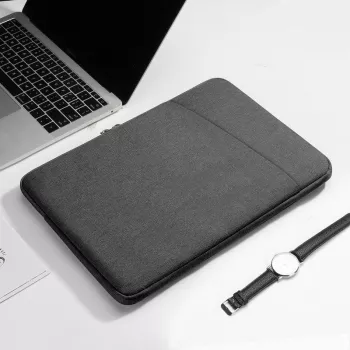
If you want straightforward everyday coverage for commuting and bag-to-bag travel, the Waterproof Laptop Bag Cover for MacBook Air/Pro 13-15.6 Inch Notebook Sleeve is designed to fit a wide range of laptops while keeping a slim profile for easy packing.
To turn the sleeve into a more complete carry setup, pair it with a roomy day bag like the Calvin Klein Women’s Spring/Summer Backpack, then keep chargers and bulky accessories in separate compartments so nothing presses into the laptop.
FAQ
Will a 15.6″ sleeve fit a 13″ MacBook?
It may fit, but it can feel loose and allow the laptop to slide around, especially at the corners. For a safer carry, compare your MacBook’s length/width/thickness to the sleeve’s internal dimensions and choose the closest snug fit.
Is a waterproof sleeve fully waterproof in heavy rain?
Most sleeves are water-resistant rather than fully waterproof, meaning they handle splashes and light rain but can leak through seams and zippers in prolonged or heavy exposure. In downpours, use the sleeve inside a backpack or under an outer rain cover.
Can the sleeve be used with a hard shell case on the MacBook?
Yes, as long as the sleeve’s internal dimensions account for the added thickness. Measure your MacBook with the hard shell installed and make sure the zipper closes without pressure on corners or edges.
Recommended for you
Was this article helpful?
Yes
No







Leave a comment